Ir al contenido

Cesta

La cesta está vacía

Kraken Elite 240

240mm AIO Liquid Cooler with 2.72" IPS LCD

4.0
Rated 4.0 out of 5 stars
4.0 Stars (103 Reviews)
Precio de oferta$169.99 Precio normal$239.99
Ahorra $70
or
Color:Black

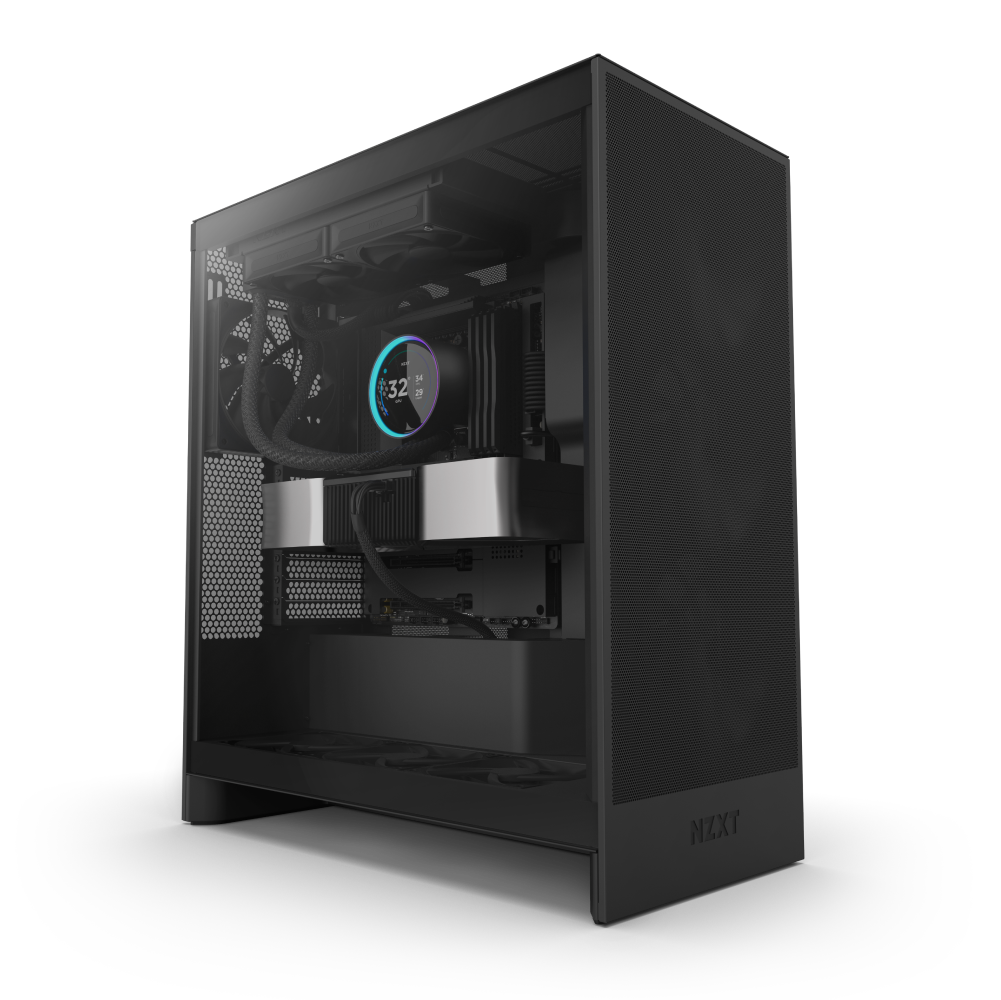
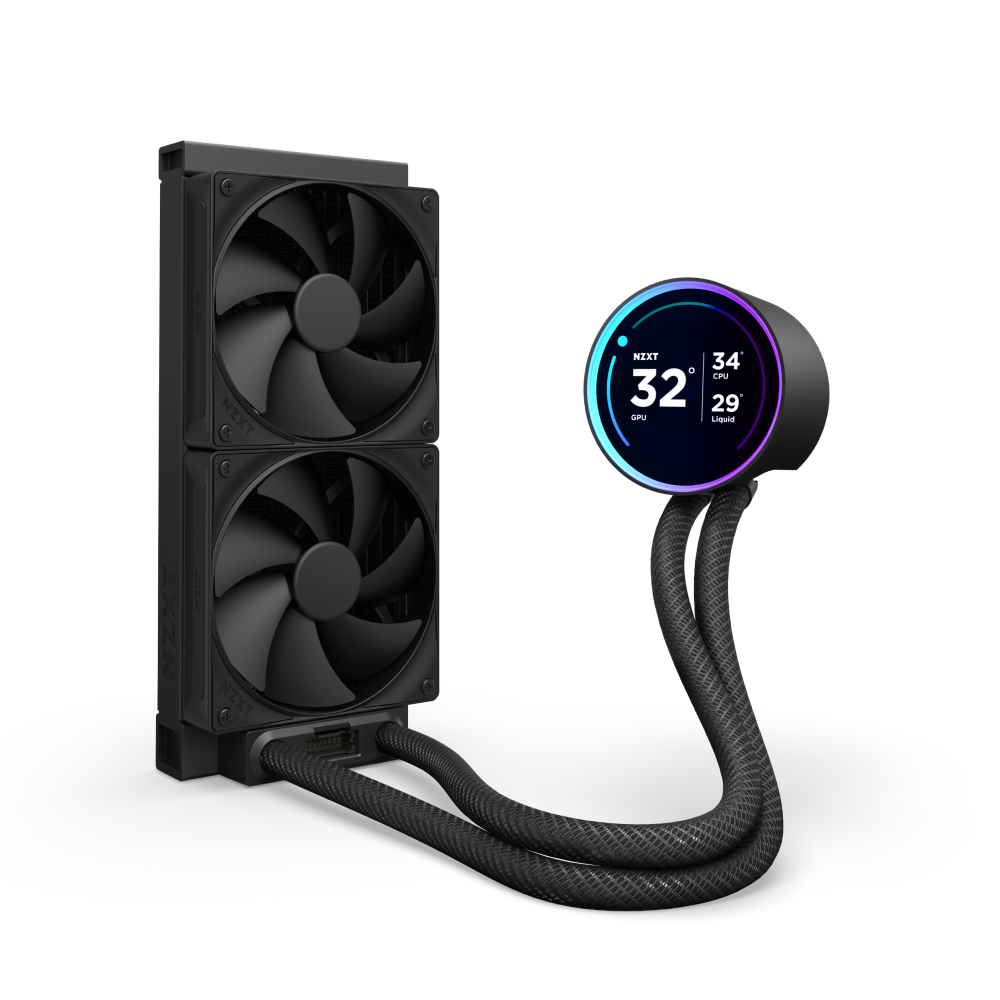
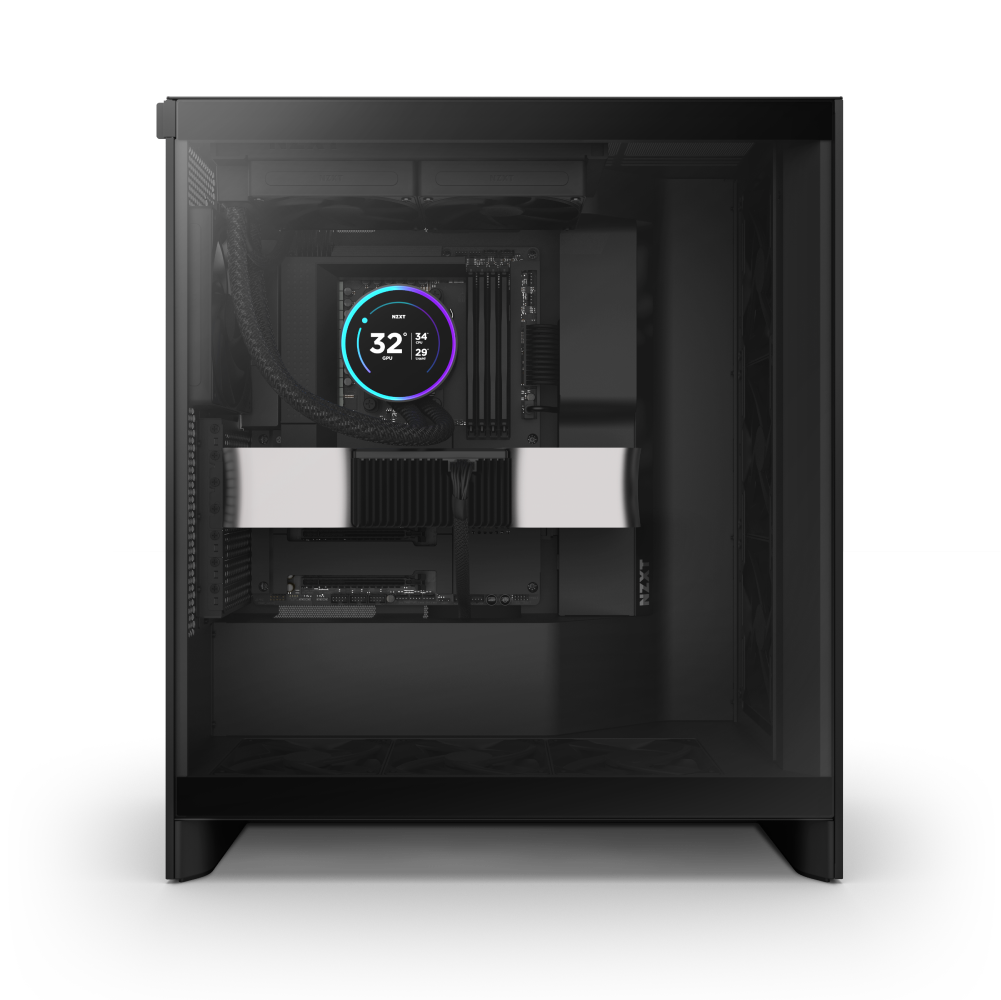
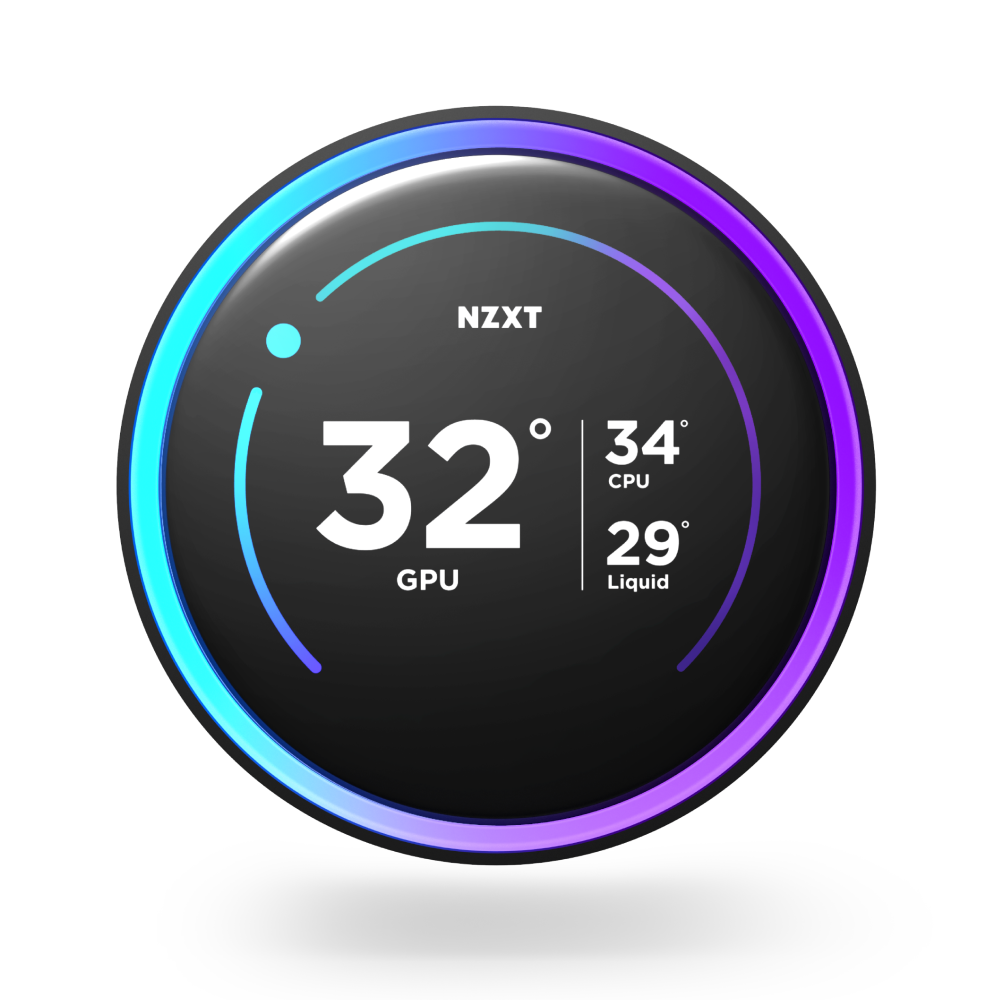
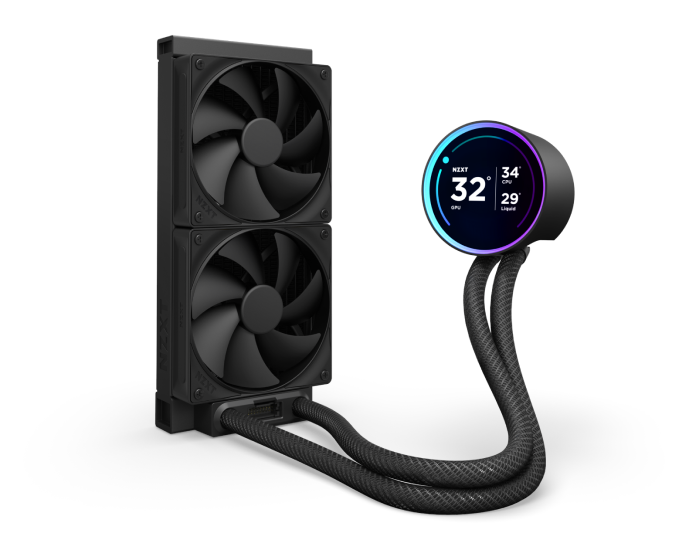
The NZXT Kraken Elite 240 is a black liquid CPU cooler with dual fans, an NZXT Turbine pump, a circular digital temperature display with an RGB ring, and braided tubes.
Kraken Elite 240 Precio de oferta$169.99 Precio normal$239.99

Overview

Back and better than ever, the Kraken Elite is powered by the custom-designed NZXT Turbine pump, delivering a remarkable 10%* boost in CPU cooling performance. The stunning 2.72-inch IPS screen with a dynamic RGB ring offers limitless personalization options, making the Kraken Elite an eye-catching focal point for any build.

*Based on thermal resistance testing of Kraken Elite 240 RGB (2024) vs. Kraken Elite 240 RGB (2023) using the Intel Open Bench method.

  • Custom-designed NZXT Turbine pump delivers high flow rate and head pressure for powerful yet quiet CPU cooling.
  • Enjoy vivid visuals on the 2.72-inch IPS LCD with sharp 640x640 resolution, smooth 60 Hz refresh rate, and wide viewing angles.
  • Showcase your favorite GIF or image, track real-time system performance, and integrate with Spotify, YouTube, and more.
  • Customize the RGB ring with dynamic lighting effects or synchronize with on-screen content and other RGB devices.
  • High static pressure fans provide strong airflow with Zero RPM Mode for silence at low loads.
  • Install easily with pre-applied thermal paste, a single breakout cable, and tool-free mounting brackets for the latest Intel® and AMD® CPU sockets.
  • Extended rubber tubing with braided sleeving ensures worry-free handling and long-term leak protection.
A computer liquid cooling system with two large black fans, braided tubes, and a circular digital display showing temperature and performance data in white and blue on a black background.

Kraken Elite 240

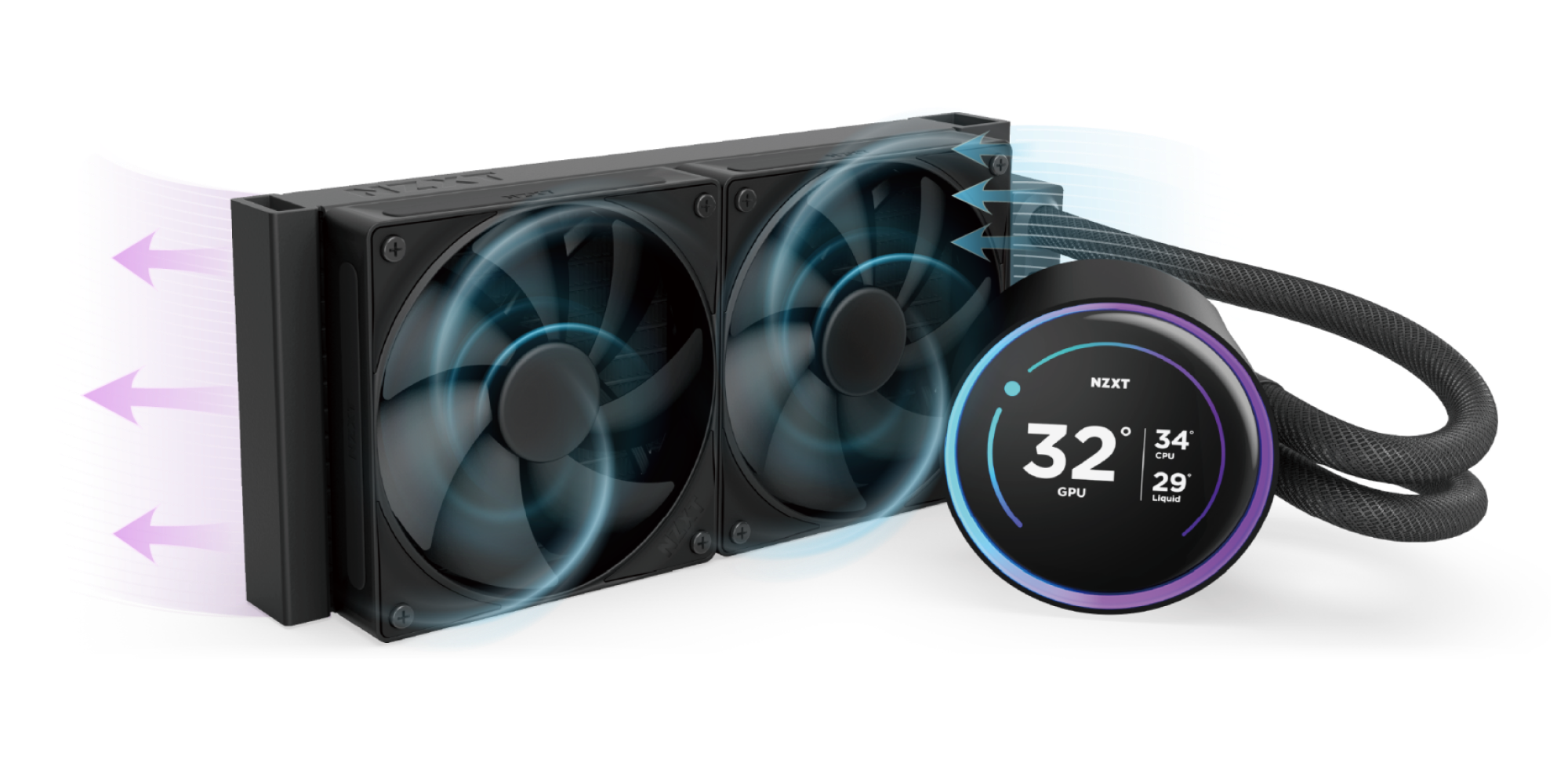
The Kraken Elite brings efficient, low-noise CPU cooling thanks to the NZXT Turbine Pump, while the 2.72-inch IPS LCD and RGB ring offer more ways to personalize your build’s centerpiece.

A computer liquid cooling system with two large fans on a radiator and a circular digital display showing GPU temperature at 32°C, connected by black tubing. Blue and purple arrows indicate airflow direction.

Powered by Turbine

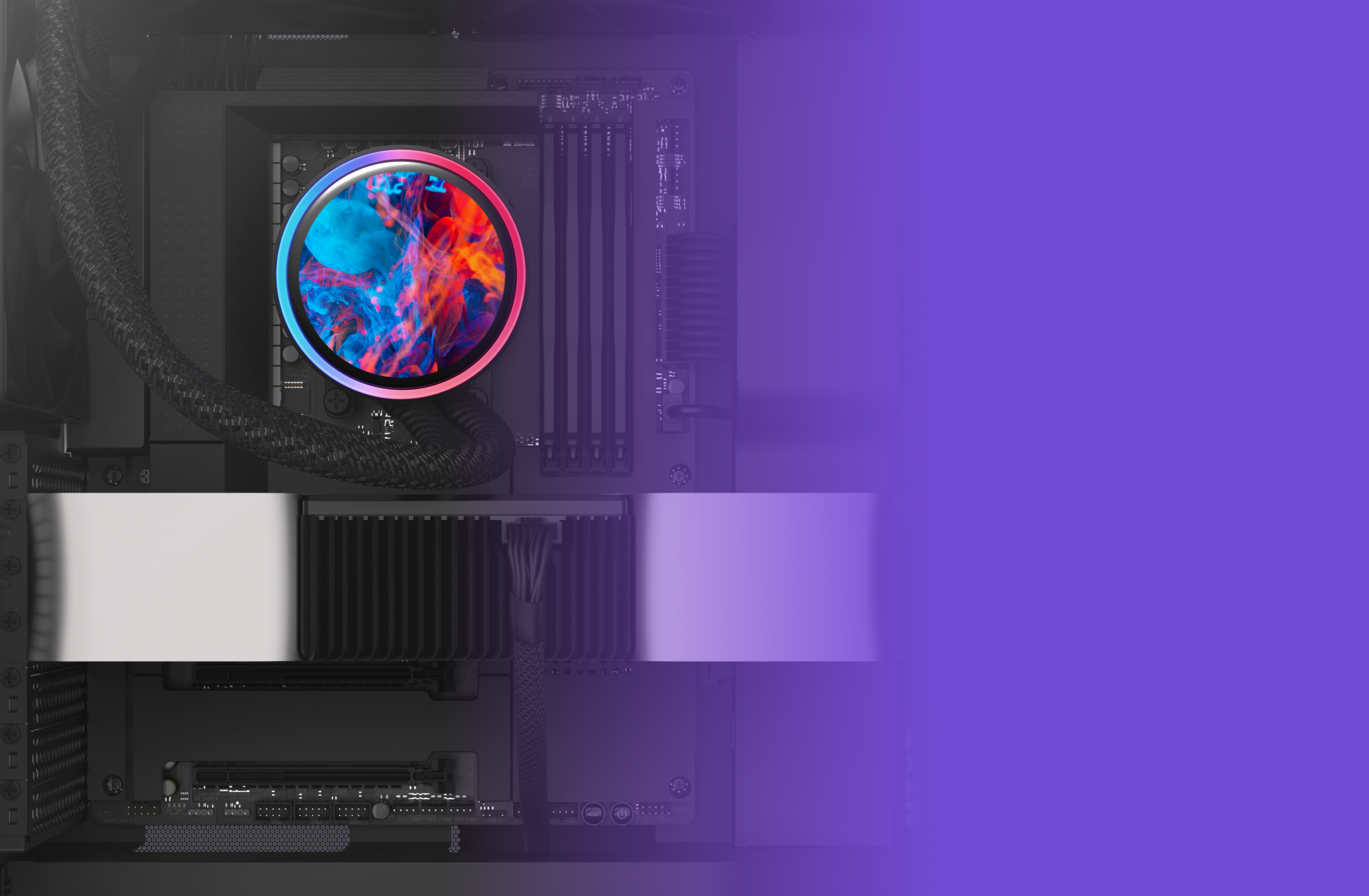
Custom-designed for high flow rate and head pressure, the NZXT Turbine pump delivers powerful yet quiet CPU cooling.

A computer’s internal components with a colorful, circular CPU cooler glowing in blue and red, set against a black motherboard. The right side of the image fades into a bright purple gradient.

A Breathtaking Display

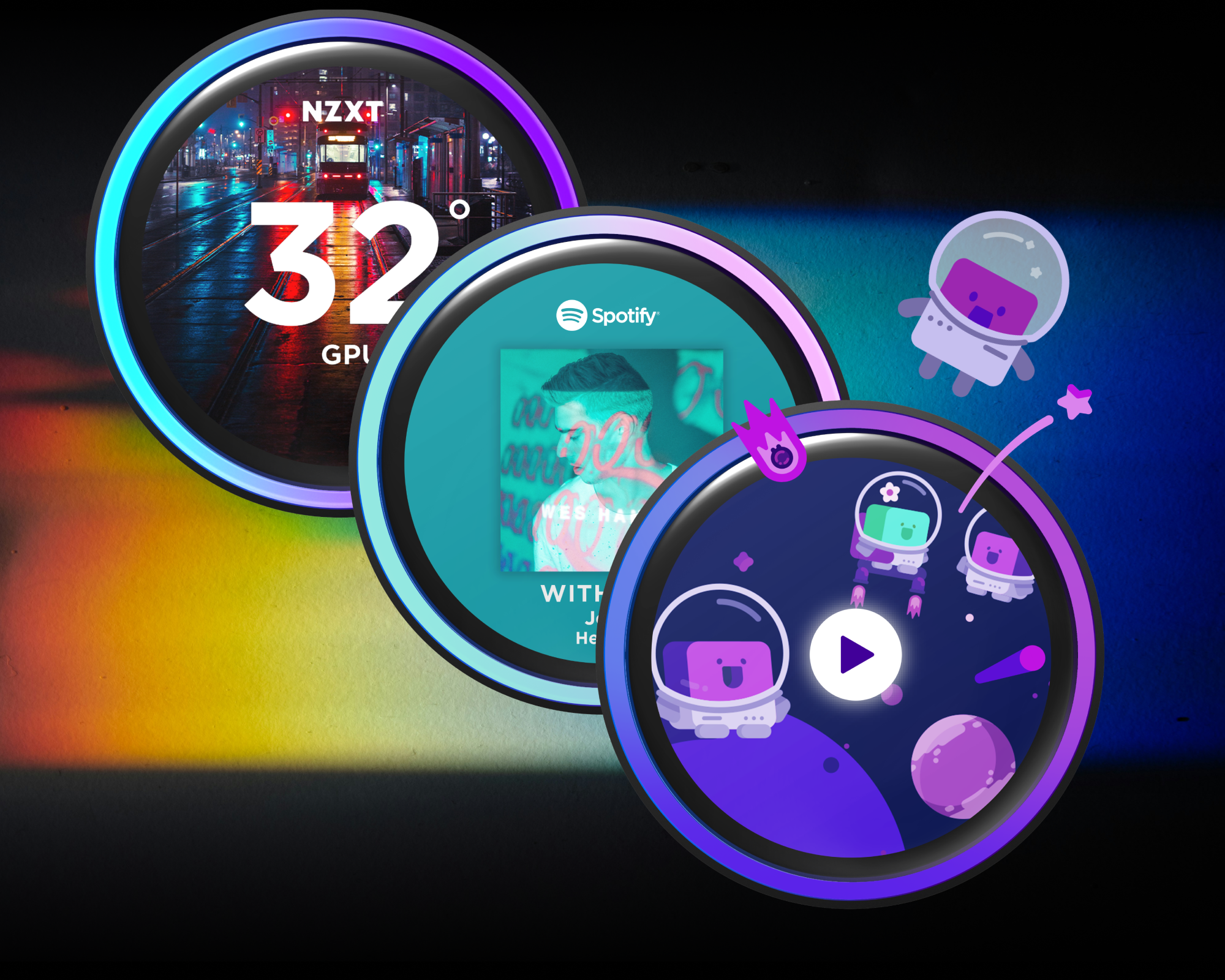
Enjoy vivid visuals on the 2.72-inch IPS LCD with a 640 x 640 resolution, 60 Hz refresh rate, and wide viewing angles.

Three colorful digital widgets overlap on a dark, gradient background: a weather display with street photo, a Spotify music player, and a playful cartoon space scene with astronauts and planets.

Boundless Possibilities

Display your favorite GIF or image, track real-time system performance, and integrate with Spotify and YouTube.

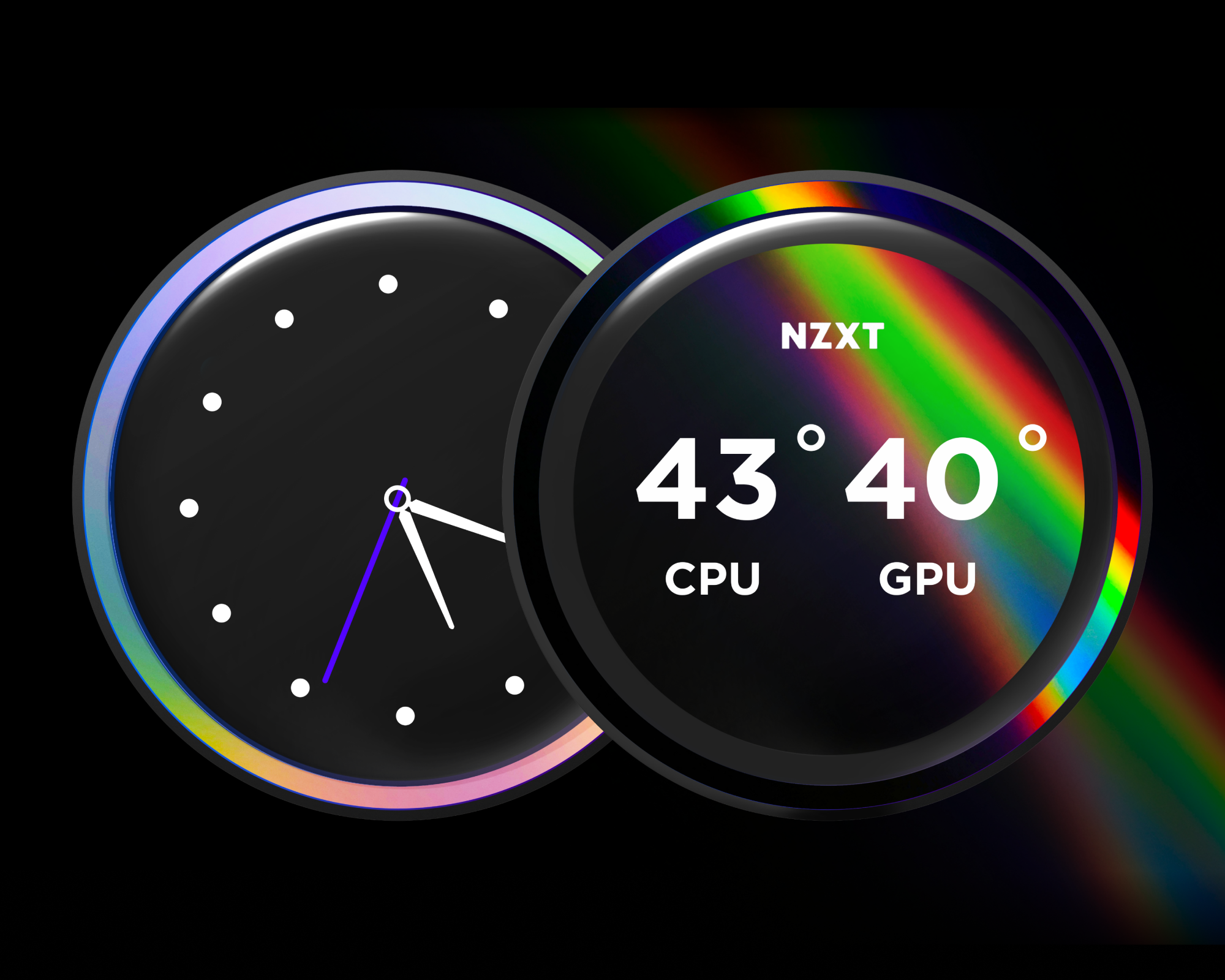
Two circular digital dials: one displays an analog clock showing 4:15, the other shows CPU and GPU temperatures at 43°C and 40°C, with NZXT above, and both outlined by glowing rainbow colors.

Radiate Your Style

Customize the RGB ring with dynamic lighting effects or synchronize with on-screen content and other RGB devices.

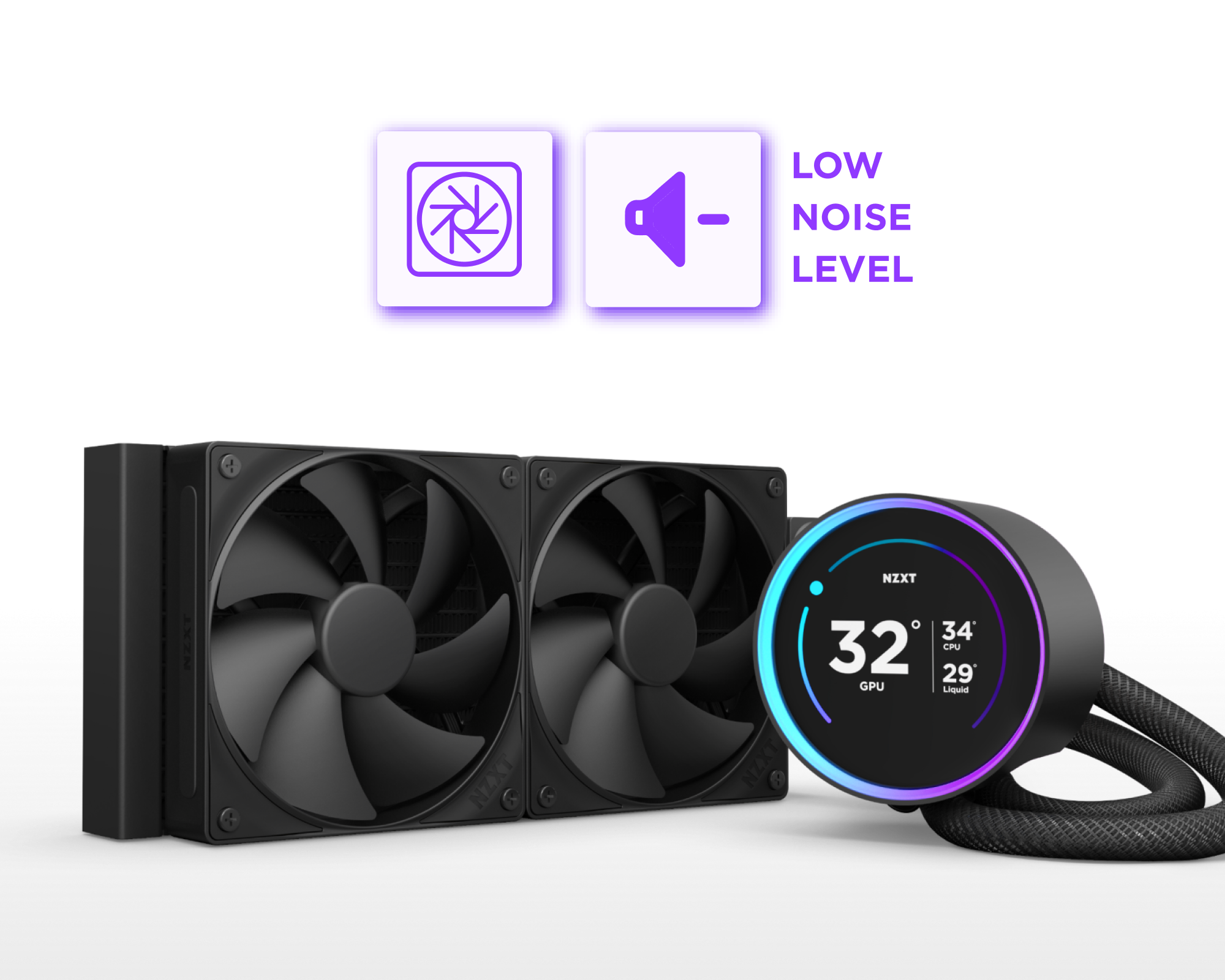
A black liquid CPU cooler with dual fans and a round digital display showing GPU temperature at 32°C. Above it, icons indicate low noise level.

High Pressure. Low Noise.

High static pressure fans provide strong airflow with Zero RPM Mode for silent operation at low loads.

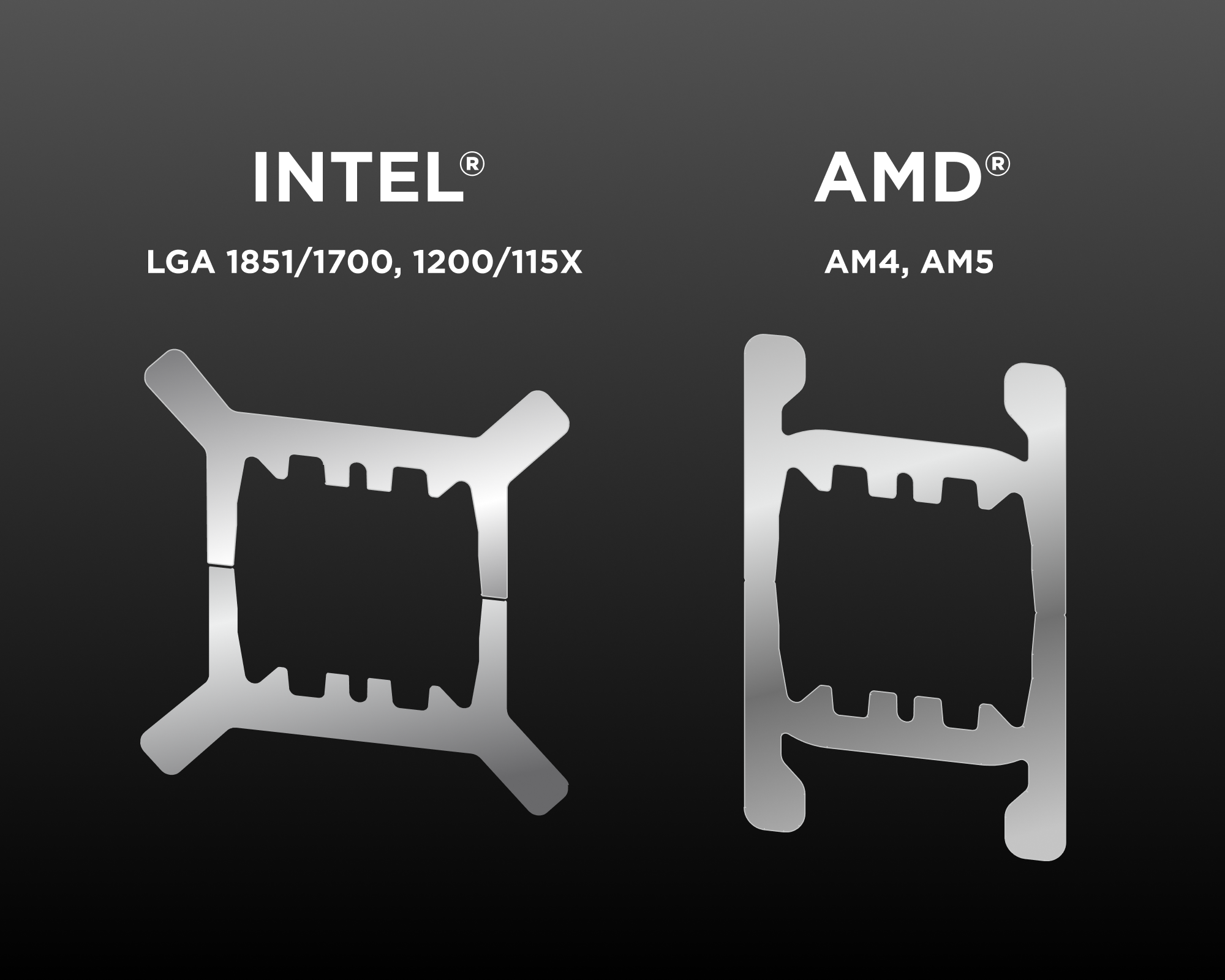
Two metallic CPU retention brackets are shown side by side. The left is labeled INTEL LGA 1851/1700, 1200/115X and the right is labeled AMD AM4, AM5 on a dark gradient background.

Wide Compatibility

Includes tool-free mounting hardware for the latest Intel® and AMD® CPU sockets.

Intel® LGA 1851/1700, 1200/115X, AMD® AM5, AM4

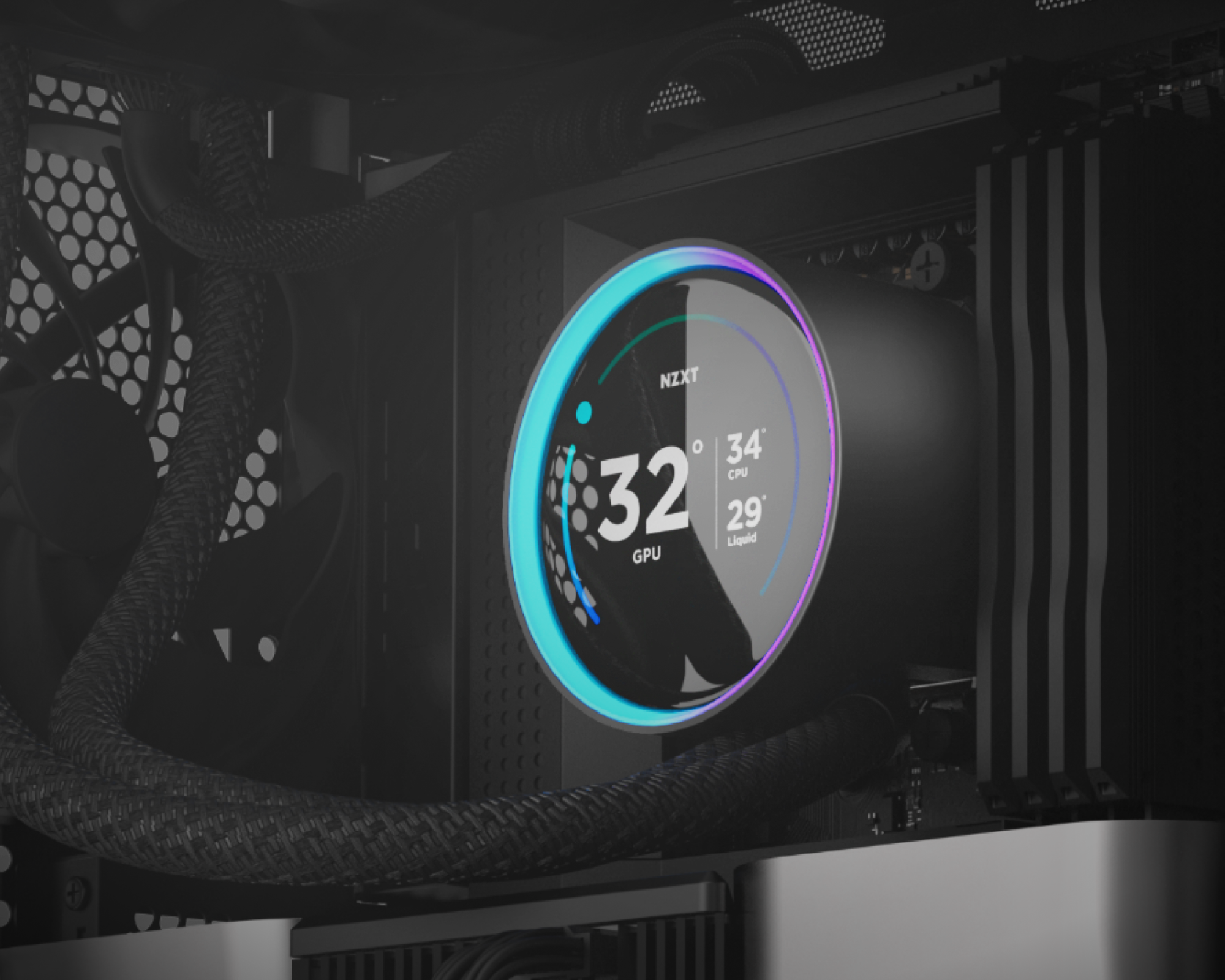
A close-up of a PC’s internal components showing an NZXT circular CPU cooler display. The screen shows a GPU temperature of 32°C, CPU at 34°C, and liquid temperature at 29°C, with RGB lighting around the edge.

Quicker Installation

Get up and running in no time with pre-applied thermal paste and a single breakout cable set.

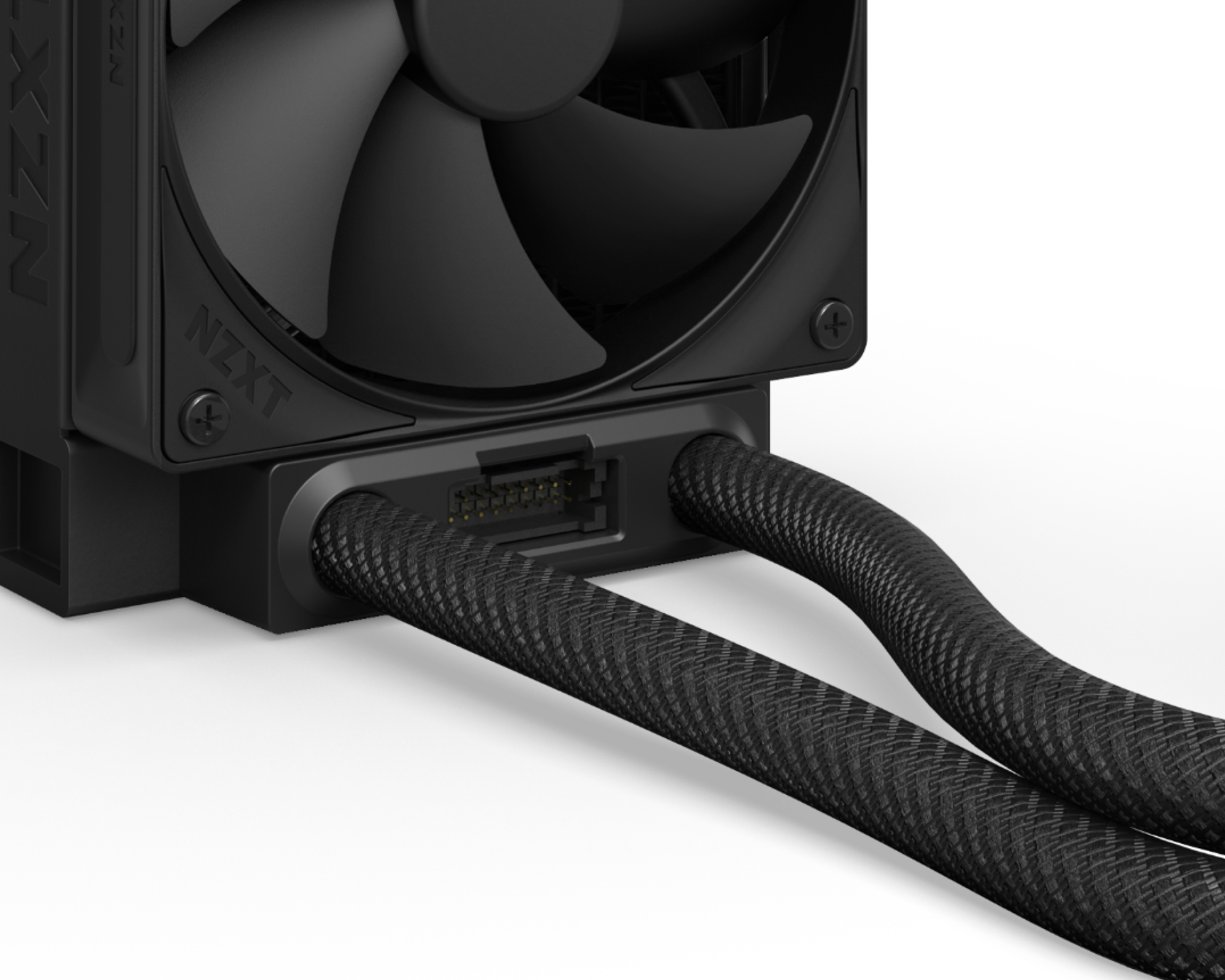
Close-up of an NZXT computer liquid cooler, showing a black fan, a connector port, and two braided tubes emerging from the cooler unit against a black background.

Flexible & Durable

Extended rubber tubing with braided sleeving ensures worry-free handling and long-term leak protection.

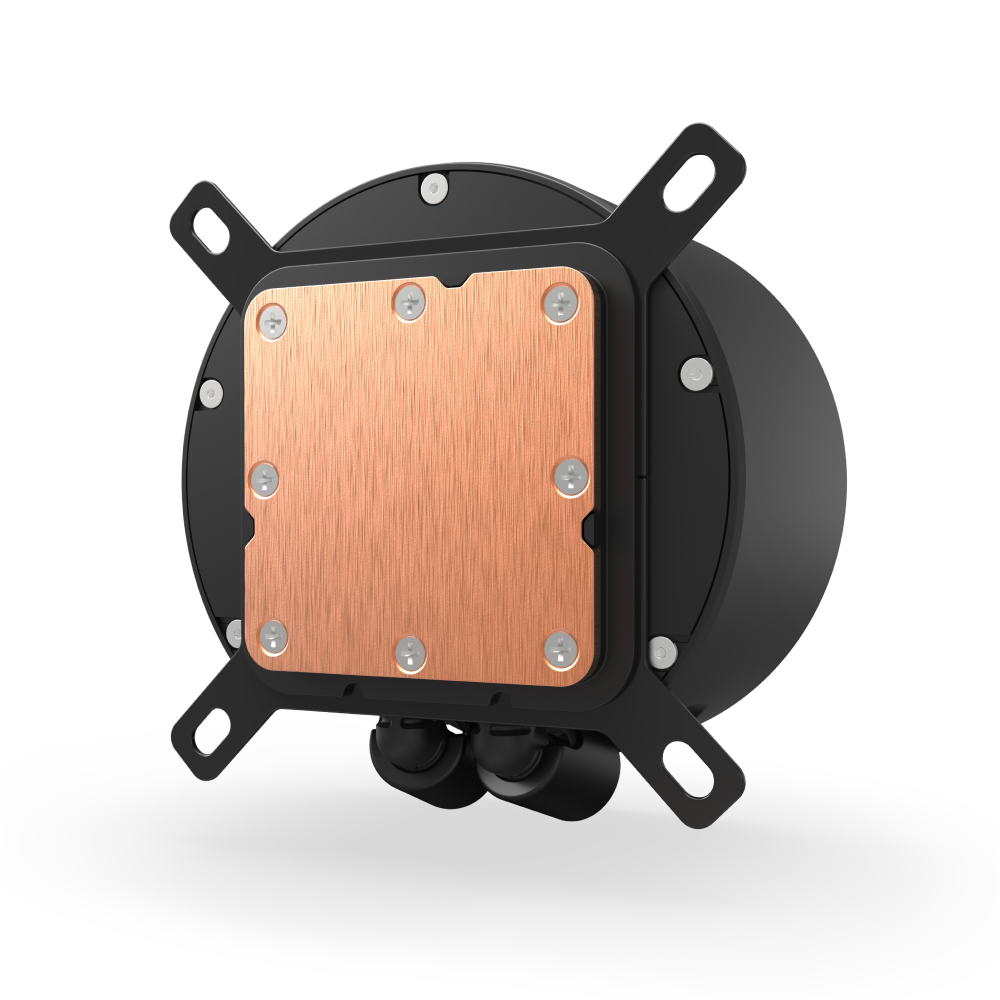
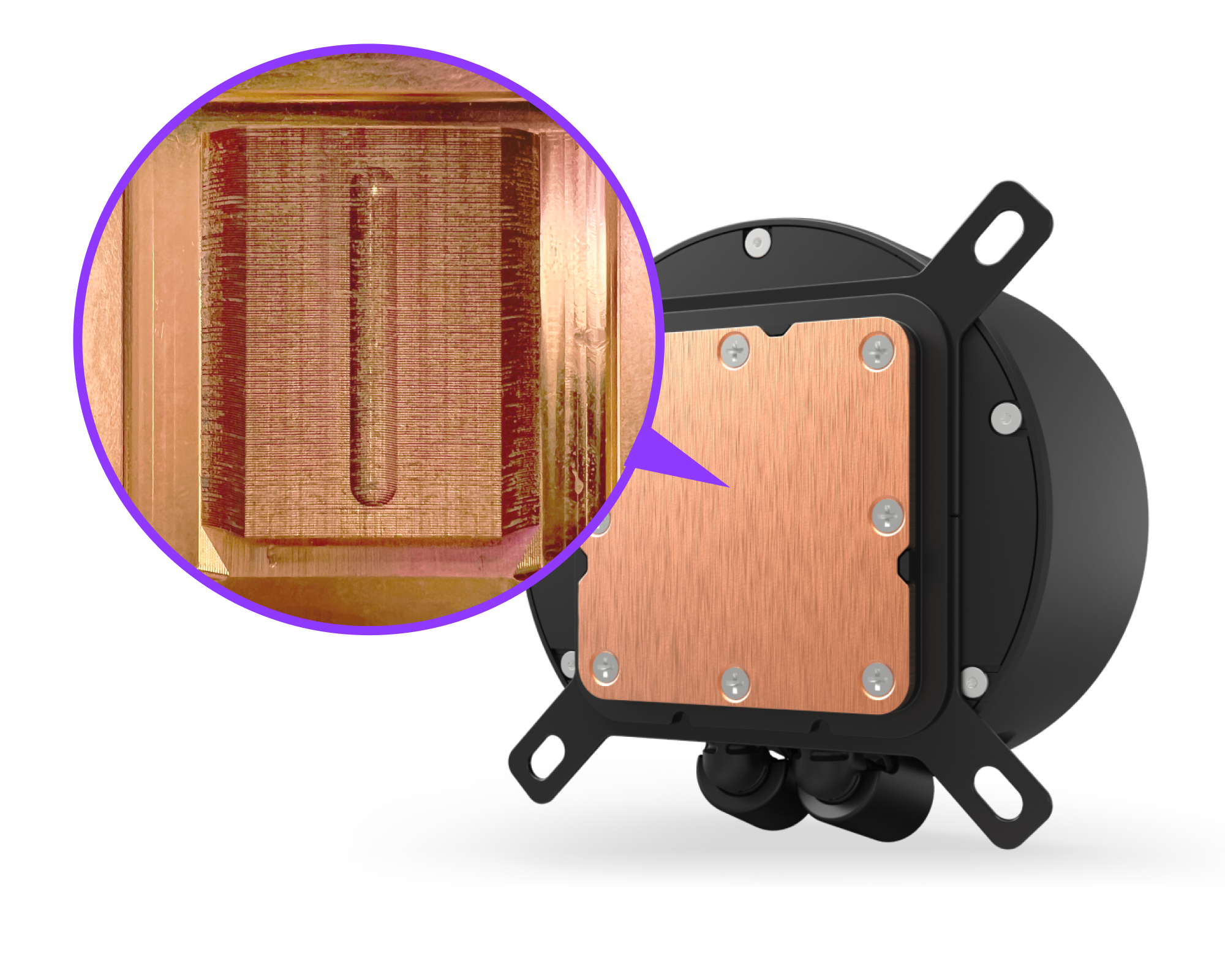
A round electronic device with a copper plate, shown in black and copper colors. A magnified inset highlights the textured copper surface with a central engraved groove.

Optimized Cold Plate

The split-flow cold plate allows coolant to move easily through the channels, ensuring even distribution across your AMD or Intel CPU surface for quick and efficient heat dissipation.

Tech Specs
Diameter
2.72 in (69 mm)
Colors
16.7 million
Resolution
640 x 640 px
Brightness
690 cd/m²
Panel Type
IPS
Refresh Rate
60 Hz
Orientation
Software adjustable
Name
NZXT Turbine Pump
Motor Speed
1,200 - 2,800 ± 300 RPM
Power
12V DC, 0.3A
Diameter
3.68 in (93.5 mm)
Height
2.56 in (65 mm)
Cap Material
Plastic
Ring Material
Plastic
Cold Plate Material
Copper
Housing Material
Plastic
Dimensions (L x W x H)
281 x 120 x 27 mm
Material
Aluminum
Length
400 mm
Material
CIIR rubber with PET braided sleeve
Model
F120P Static Pressure Fan
Quantity
2
Dimensions (W x H x D)
120 x 120 x 25 mm
Speed
500 - 2,000 ± 200 RPM
Airflow
73.47 CFM
Static Pressure
4.50 mm H2O
Noise
30.0 dBA
Power Consumption
12V DC, 0.18 A, 2.16 W
Bearing
Fluid Dynamic Bearing
Output LED
N/A
Connector
4-pin PWM
Cable Length
600 mm
Material
Plastic, rubber, PCB
Life
60,000 hours
Intel
Intel Socket LGA 1851, 1700 & 1200/115X Intel Core i9 / Core i7 / Core i5 / Core i3 / Pentium / Celeron
AMD
AMD Socket AM5, AM4 AMD Ryzen 9 / Ryzen 7 / Ryzen 5 / Ryzen 3
Warranty
6 Years
Model Number
RL-KN24E-B2
UPC
810074844208
EAN
5056547204116
4.0
Rated 4.0 out of 5 stars
Based on 103 reviews
74%would recommend these products
Total 5 star reviews: 64 Total 4 star reviews: 12 Total 3 star reviews: 5 Total 2 star reviews: 4 Total 1 star reviews: 18
AI Reviews Summary
Customers say this cooling system offers impressive display customization and cooling performance. Many reviews mention the quiet operation and sleek RGB lighting. Common feedback includes issues with cable thickness and management, with some noting the cords are bulkier than expected. While most praise the easy setup and temperature control, some report missing parts or software compatibility challenges. The customizable screen is a standout feature that users particularly enjoy.
Slide 1 selected
103 reviews
  • C
    Chandler
    Reviewing
    Kraken Elite 360 RGB
    I do not recommend this product
    Product Standouts Performance
    Rated 1 out of 5 stars
    1 week ago
    Be better NZXT

    Everything works fine, expect, it came with a defective breakout cable preventing

    Product QualityRated 1.0 on a scale of 1 to 5
    Value for MoneyRated 2.0 on a scale of 1 to 5
    N Profile picture for NZXT
    NZXT
    21 hours ago

    Hi Chandler,

    Thank you for your review. We’re sorry to hear that your unit arrived with a defective breakout cable.

    We were able to locate your support ticket and previously reached out regarding a replacement for the cable. However, we haven’t received a response yet. We’d still be more than happy to send a replacement—please reply to our ticket when you have a moment so we can proceed.

    We look forward to assisting you.

  • M
    Marc
    Reviewing
    Kraken Elite 360 RGB
    Rated 3 out of 5 stars
    2 weeks ago
    Had to return it...

    The Turbinepump is noisy no matter what. It is NOT going to the advertised 1200rpm because it has a firmware safety feature that cuts at 1600rpm (20-30% speed is the same) I don't like that new pump and switched to a "Kraken 360" with the older asetek pump - silent again.

    Product QualityRated 3.0 on a scale of 1 to 5
    Value for MoneyRated 3.0 on a scale of 1 to 5
    N Profile picture for NZXT
    NZXT
    21 hours ago

    Hi Marc,

    Thank you for sharing your feedback, and we’re really sorry to hear about the noise issue you experienced with the Kraken Elite 360 RGB.

    We’ve sent you a support ticket regarding your concern so we can look into this further. We’d really appreciate it if you could let us know how your current unit is performing and if everything is running as expected now.

    We’re here to help and look forward to your reply.

  • D
    Drunkenstein
    Verified Reviewer
    Reviewing
    Kraken Elite 280 RGB (2023)
    I recommend this product
    Product Standouts Great Quality, Performance, Design, Value for Money, Ease of use
    Rated 5 out of 5 stars
    4 weeks ago
    Superior and Sublime!

    If you appreciate a simple design, this is the perfect choice. The pump is very quiet, even at high speed. The display isn't excessively large, but it's also small. The resolution is high, and uploading GIF background images is simple. Various display options are available, so there's something for everyone. I have the pump in white.

    Product QualityRated 5.0 on a scale of 1 to 5
    Value for MoneyRated 5.0 on a scale of 1 to 5
  • K
    Kevin
    Reviewing
    Kraken Elite 360 RGB
    I recommend this product
    Rated 5 out of 5 stars
    1 month ago
    5 Stars

    La mejor inversion que hice para mantener el CPU a una temperatura estable y refrescante, Super silencioso y la pantalla es bastante grande y super comoda de ver, El driver de NZXT CAM es super facil de utilizar, Es una maravilla para poner videos personalizados o poner lo que tu quieras. 100% Recomendado

  • S
    sxlkxyy
    Reviewing
    Kraken Elite 360 RGB
    I do not recommend this product
    Rated 2 out of 5 stars
    1 month ago
    Worked great... for 4 months

    Everything worked good for 4 months until pump randomly died. Now its unusable and makes my cpu hit 100 degrees celsius within seconds of turning pc on

    Product QualityRated 3.0 on a scale of 1 to 5
    Value for MoneyRated 2.0 on a scale of 1 to 5
  • M
    Madelyn
    Reviewing
    Kraken Elite 360 RGB
    I recommend this product
    Rated 5 out of 5 stars
    1 month ago
    5 Stars

    Beautiful, my pc is finally working correctly! Im so excited to play and ise my pc once more!

  • J
    Juan
    Reviewing
    Kraken Elite 360 RGB
    I do not recommend this product
    Rated 2 out of 5 stars
    1 month ago
    Worked great for 3 months...

    Everything worked great for 3 months and now it suddenly stopped working. cpu hits 110 celsius within minute of turning on. pc wont boot from cpu overheating, pump is broken

    Product QualityRated 2.0 on a scale of 1 to 5
    Value for MoneyRated 1.0 on a scale of 1 to 5
  • O
    Odysseus
    Reviewing
    Kraken Elite 280 (2023)
    I recommend this product
    Product Standouts Performance
    Rated 4 out of 5 stars
    1 month ago
    Great Cooler That Gets The Job Done

    System cools significantly as advertised. However, my system hangs on boot when the AIO system is plugged into the proper USB header. Boots up fine when ever I unplug the AIO. This problem persists no matter which USB header on the mother board I use.

    SO, I have to unplug the NZXT Kraken 280 Elite from the mother board - then turn the PC on - and it boots up fine every single time. I then plug the NZXT Kraken system back in and run the software. After that, everything works fine. Kind of sucks but at least I can use the system and it works very, very well.

    CPU temp before product use: 120-130 Degrees F.

    CPU temp after product use: 86-90 Degrees F.

    Really helpful that this NZXT CAM system recognizes and allows me to regulate the GPU fan whose temps as a result have gone from 180 degrees F to 115 degrees F.

    I'm running window 10 on a ROG Revision 5 Edition 10 mother board.

    Note: I troubleshot everything before resorting to the unplug/replug method:

    Changed out the CMOS battery after discharging.

    Reseated all eight sticks of ram (128GB).

    Reseated all power supply connections.

    Switched out Graphics cards.

    Removed one of two graphics cards to eliminate SLI issues if any.

    Switched which USB header the Kraken unit was plugged in to.

    Verified BIOS settings for USB headers.

    Verified USB status in Device Manager.

    Happy with the cooler. Not complaining, just informing.

    ______________________

    Intel Core i7 6850K Broadwell-E/EP

    128GB G.Skill RAM

    ROGR5E10 Motherboard

    2x Nvidia 1080ti in…

    Product QualityRated 4.0 on a scale of 1 to 5
    Value for MoneyRated 3.0 on a scale of 1 to 5
  • LE
    LAUREN E. R.
    Verified Buyer
    Reviewing
    Kraken Elite 280 RGB
    I recommend this product
    Product Standouts Great Quality, Performance, Graphics, Ease of use, Design
    Rated 5 out of 5 stars
    2 months ago
    Amazing Product

    Makes my pc come to life.

    Product QualityRated 5.0 on a scale of 1 to 5
    Value for MoneyRated 5.0 on a scale of 1 to 5
  • AR
    Asten R.
    Verified Buyer
    Reviewing
    Kraken Elite 360 RGB
    I recommend this product
    Product Standouts Great Quality, Performance, Ease of use, Design
    Rated 5 out of 5 stars
    2 months ago
    Clean and great quality

    Sleek and clean to look at. Screen is great for any memes or photos you like.

    Product QualityRated 5.0 on a scale of 1 to 5
    Value for MoneyRated 5.0 on a scale of 1 to 5