Iniciar sesión
Artículo: Will My Cooler Fit LGA 1851? NZXT Kraken Socket Compatibility
Will My Cooler Fit LGA 1851? NZXT Kraken Socket Compatibility

Short answer: If your NZXT cooler supports LGA 1700, it supports LGA 1851. The two sockets share the same mounting hardware, so you reuse the LGA 1700 bracket and backplate with no new kit. Every current Kraken (Elite, Plus and Core) supports LGA 1851. Older Kraken X and Z coolers need an LGA 1700 mounting kit first.
Moving to an LGA 1851 motherboard doesn't mean buying a new cooler. For most NZXT owners the hardware you need is already in the box from your original install. Here's how to check which group your cooler falls into and what to do if it needs a kit.
Why LGA 1700 hardware works on LGA 1851
LGA 1851 uses the same cooler mounting hardware as LGA 1700. The backplate, standoffs and bracket that fit an LGA 1700 board fit an LGA 1851 board too. That's why NZXT lists both sockets together on every current spec sheet and ships one kit that covers both.
Which NZXT coolers support LGA 1851?
Every Kraken in the current lineup supports LGA 1851 out of the box:
| Cooler | Intel sockets | AMD sockets |
|---|---|---|
| Kraken Elite (2024) | LGA 1851, 1700, 1200, 115X | AM5, AM4 |
| Kraken Plus (2025) | LGA 1851, 1700, 1200, 115X | AM5, AM4 |
| Kraken Core RGB (2025) | LGA 1851, 1700, 1200, 115X | AM5, AM4 |
If you're not sure which generation you own, check the model number on the box (Kraken model numbers start with RL-). The table below matches each pattern to what you need for LGA 1851.
What about older NZXT coolers?
Most recent Krakens shipped with the LGA 1700 kit, which means they're already LGA 1851 ready. The older Kraken X and Z series don't include it and need a separate kit.
| Cooler | Model number | LGA 1700/1851 kit included? |
|---|---|---|
| Kraken Elite (2024/2025) | RL-KRxxE-x2, RL-KNxxE-x2 | Yes |
| Kraken Elite (2023) | RL-KRxxE-x1, RL-KNxxE-x1 | Yes |
| Kraken (2023) | RL-KRxx0-xx, RL-KNxx0-xx | Yes |
| Kraken 120 | RL-KR120-B1 | Yes |
| T120 | RC-TN120-xx, RC-TR120-xx | Yes |
| Kraken Z (Z3) | RL-KRZx3-xx | No, needs the Kraken XZ LGA 1700 Mounting Tools or an Asetek kit |
| Kraken X3, X2, X1, X0 | RL-KRXx3-xx to RL-KRXx0-xx | No, needs the Kraken XZ LGA 1700 Mounting Tools or an Asetek kit |
| Kraken M22, H1 (2019) cooler | RL-KRM22-01, RL-KRM43-01 | No, needs the Kraken 120 LGA 1700 Mounting Kit |
Getting a kit for a Kraken X or Z
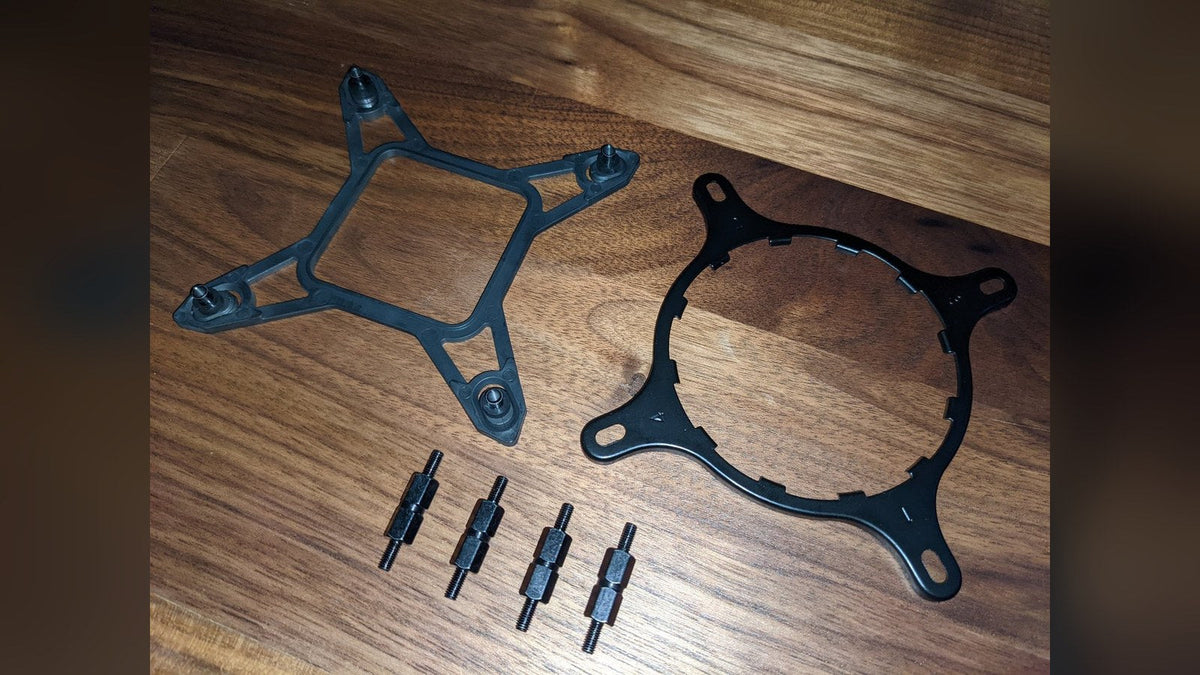
NZXT sells the Kraken XZ LGA 1700 Mounting Tools kit for these coolers. If it isn't available in your region, any Asetek-based mounting kit fits every Kraken X and Z series cooler, so a third-party LGA 1700 kit built for Asetek pumps does the same job.
For the Kraken M22 and the original H1 (2019) cooler, the part you need is the Kraken 120 LGA 1700 Mounting Kit. Reach out to NZXT Customer Service to check availability.
How to fit the LGA 1700 bracket to your Kraken
On Krakens that come with an Intel bracket already fitted to the pump, the swap is quick:
- Remove the pre-installed Intel bracket by pushing on the bottom of it and rotating it counterclockwise.
- Fit the LGA 1700 bracket by pushing it down onto the pump and rotating it clockwise. Give it a wiggle to make sure it's locked in place.
- On the backplate, set the adjustable mount at each corner to the wider position.
- Place the backplate on the back of the motherboard, lined up with the holes behind the CPU socket.
- Flip the motherboard over while holding the backplate in place, then screw the four standoffs into the backplate through those holes.

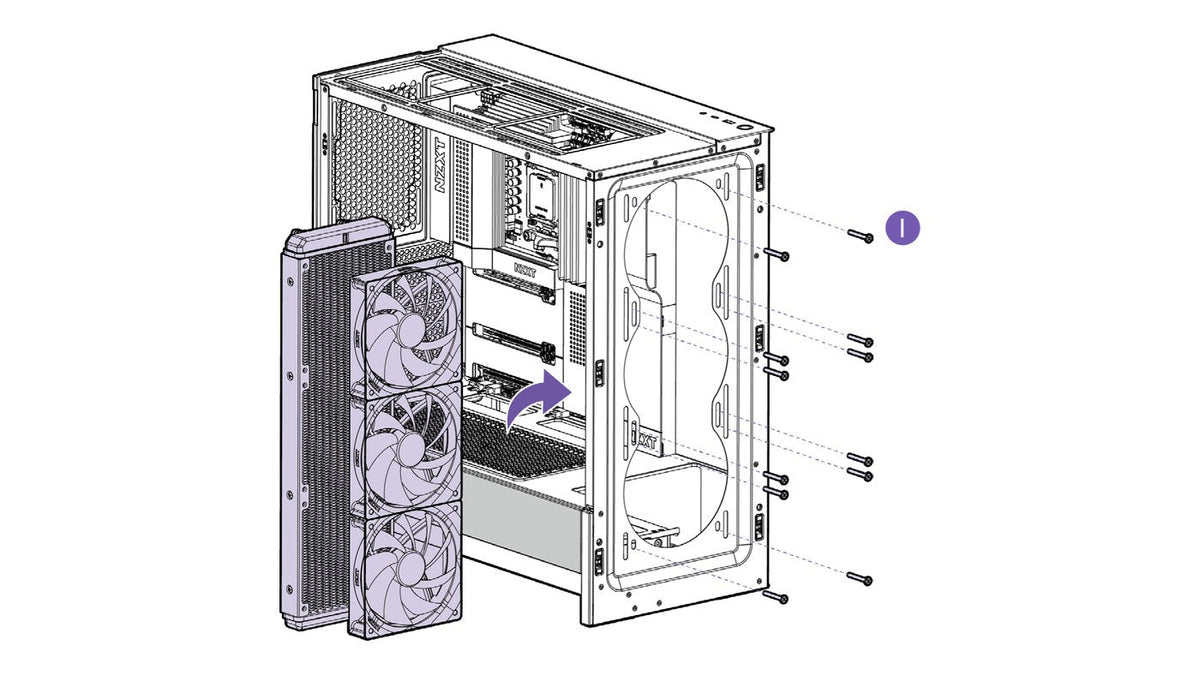
From there, mount the pump and finish the install using your Kraken's manual. Our step-by-step guide to installing an AIO liquid cooler covers the rest, including the radiator. For where the pump cable plugs in, see CPU_FAN vs AIO_PUMP.
The Kraken Core RGB does it differently
The Kraken Core RGB doesn't use a twist-on bracket. Its accessory bag includes a dedicated LGA 1851/1700 backplate and matching standoffs. The pump cap is held down with four screws into those standoffs. The backplate also has pre-applied 3M tape strips that hold it to the motherboard. That tape is one-time use and bonds strongly, so check you've picked the LGA 1851/1700 plate and that it lines up before you peel the backing.
Frequently asked questions
Do I need a new mounting bracket for LGA 1851?
Not if your cooler already supports LGA 1700. Reuse the same LGA 1700 bracket, backplate and standoffs.
Is the Kraken Elite compatible with LGA 1851?
Yes. Both the 2023 and 2024 Kraken Elite support LGA 1851 because LGA 1851 shares its mounting hardware with LGA 1700. The kit is included in the box.
Does the Kraken 120 work on LGA 1851?
Yes. The Kraken 120 shipped with the LGA 1700 kit, which covers LGA 1851 as well.
Can I use a third-party kit on my Kraken X or Z series cooler?
Yes. Every Kraken X and Z series cooler is compatible with Asetek-based mounting kits, so a third-party LGA 1700 kit for Asetek pumps works if the NZXT kit isn't available where you live.
Does the Kraken Core RGB support other Intel sockets like LGA 2066?
No. The Kraken Core RGB officially supports LGA 1851, 1700, 1200 and 115X on Intel. Sockets like 2066 and 2011 aren't supported.
Which Kraken should I get for a new LGA 1851 build?
Any of them. The Kraken Elite, Kraken Plus and Kraken Core RGB all support LGA 1851, so it comes down to the screen, software control and radiator size you want. Our Kraken Elite, Plus and Core comparison lays out the differences, while our AIO size guide helps you pick a radiator.
Need a hand?
If you can't find your model number or need help sourcing a mounting kit, NZXT Support can point you to the right part.